Build guide · Manual V1.1.1
CC01 build guide
The official MMC CC01 chase cam manual as a web page: parts lists, design notes and all 8 assembly steps.
Before you start
- Print every part in the printed parts lists below and get the shopping list ready before you start.
- Each step builds one sub-assembly. Keep them aside until the final assembly, as the notes say.
- Use the PDF if you prefer to build offline: MMC_CC01_Manual_V1.1.1.pdf.
You can
- Print and use the parts for private use, in unlimited quantity.
- Share photos of your prints on social networks or websites.
You can't
- Commercial use or public sharing of the 3D model.
- Modifying or adapting the model for public sharing or sale.
- Distributing, selling, donating or exchanging the digital files.
Bill of materials
Printed parts 13 lines
| Qty | Part | Description |
|---|---|---|
| 1 | CC01-001 | Base plate |
| 2 | CC01-002 | Wheel support |
| 2 | CC01-003 | Wheel Axle |
| 2 | CC01-004 | Washer |
| 1 | CC01-005 | Main Pillar |
| 1 | CC01-006 | First Beam |
| 1 | CC01-007 | Second Beam |
| 1 | CC01-008 | Ball Stud |
| 1 | CC01-009 | Ball Cup |
| 1 | CC01-010 | Reinforcement |
| 2 | CC01-011 | Reinforcement |
| 1 | CC01-012 | Phone support bottom |
| 1 | CC01-013 | Phone support top |
Shopping list 8 lines
| Qty | Part | Description |
|---|---|---|
| 4 | BB-10X15X4 | Ball Bearing, OD: 15mm, ID: 10mm, width: 4mm |
| 2 | ISO10642 M3x6 | CounterSunk ISO10642 M3x6 Screw |
| 14 | ISO10642 M3x8 | CounterSunk ISO10642 M3x8 Screw |
| 12 | ISO7380 M3x20 | ButtonHead ISO7380 M3x20 Screw |
| 8 | ISO7380 M3x8 | ButtonHead M3x8 screw |
| 8 | TI-4 | Brass Threaded Insert (M3x4x4,5) |
| 27 | TI-6 | Brass Threaded Insert (M3x6x4,5) |
| 4+4 | 15mm magnets | Optional Ø15mm magnets (most body mount magnets) |
Design notes
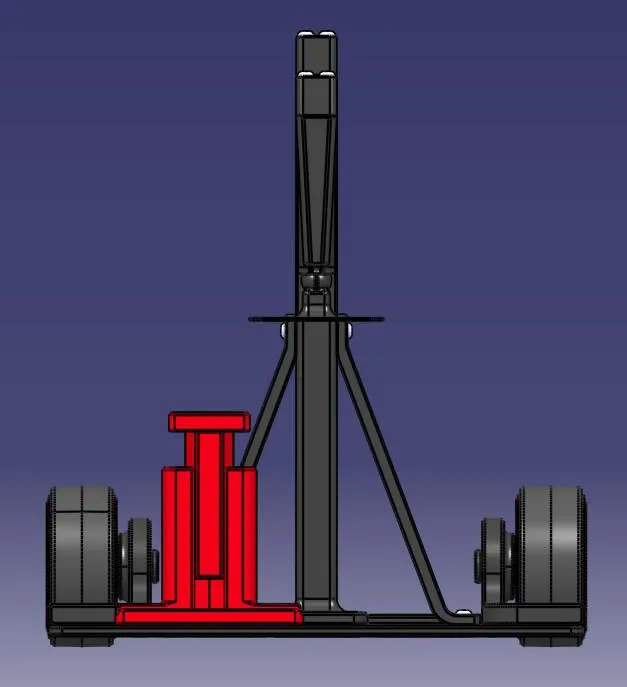
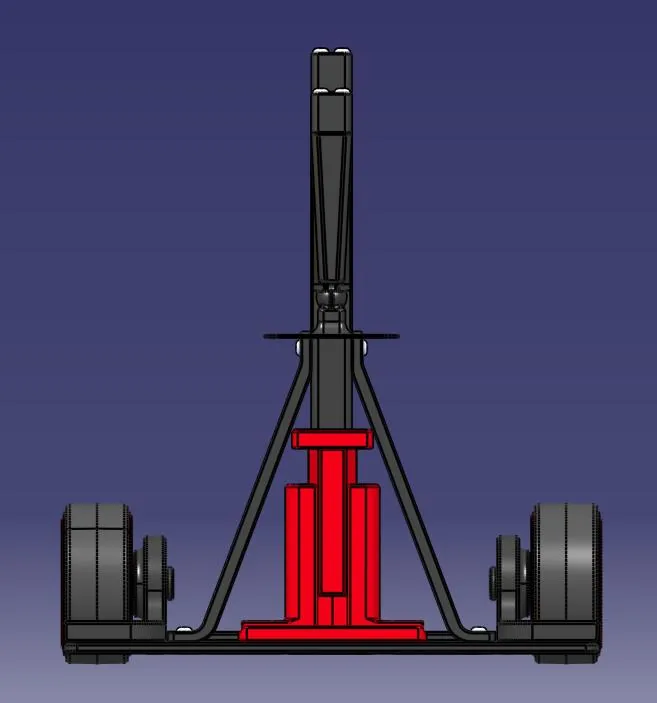
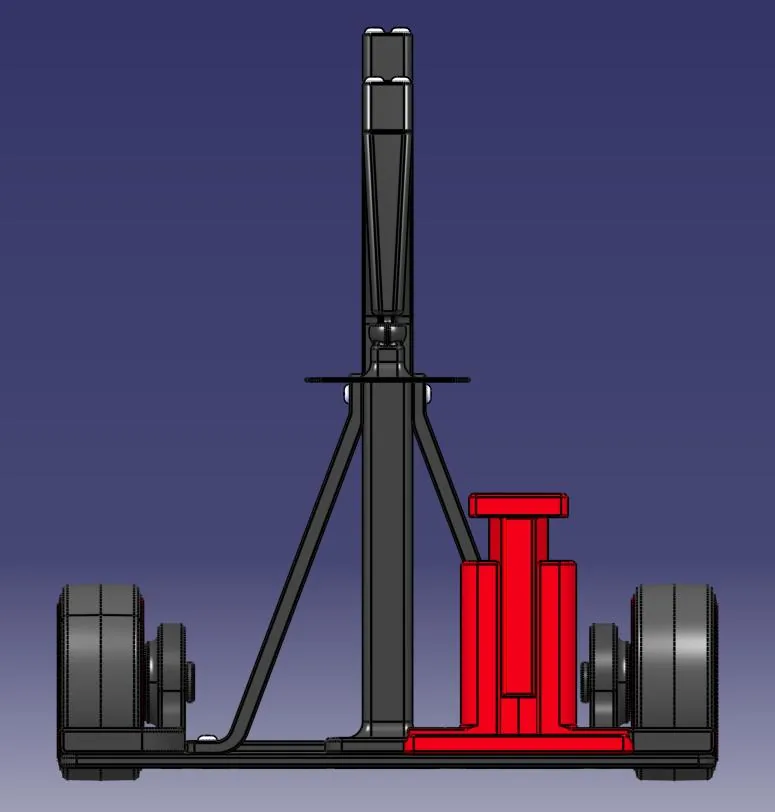
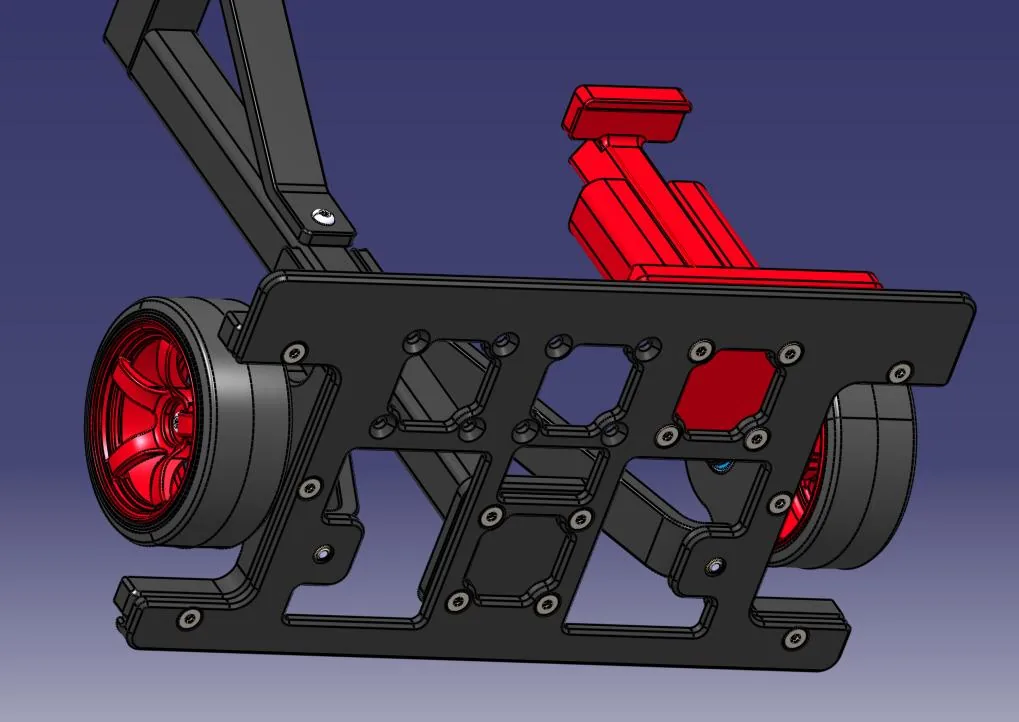
Phone support positions
The phone support can be mounted in different positions.
Assembly
-
Step 1: Sub-assembly CC01-105
3 parts
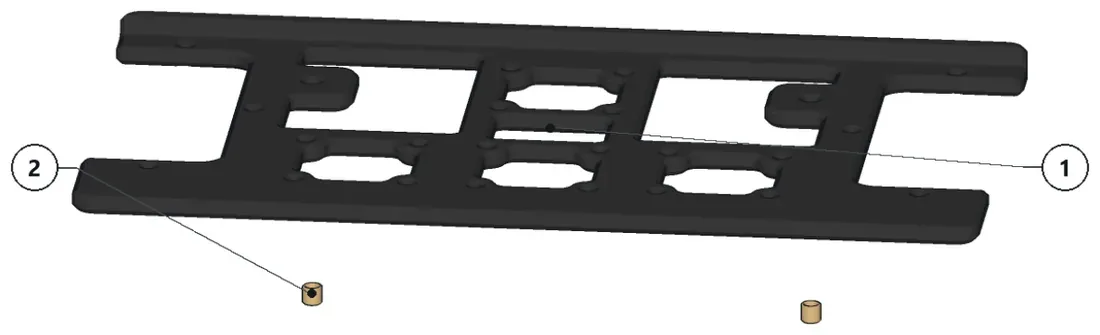
- Install the threaded inserts and keep the sub-assembly aside.
Parts · numbers match the drawing
CC01-001×1Base plateTI-4.1×2Brass Threaded Insert (M3x4x4,5)
-
Step 2: Sub-assembly CC01-103
5 parts
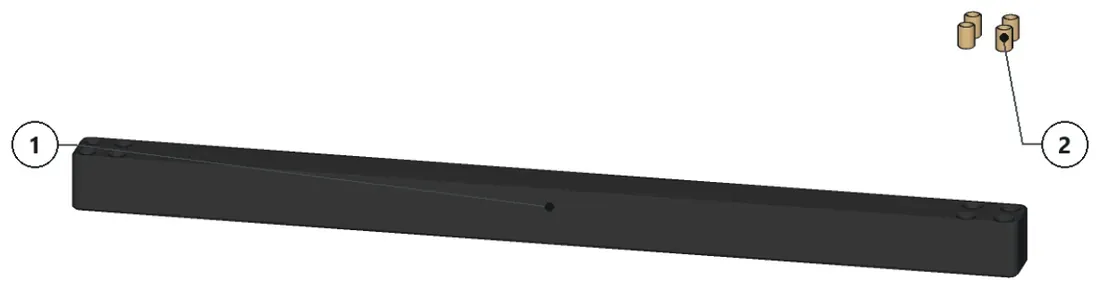
- Install the threaded inserts and keep the sub-assembly aside.
Parts · numbers match the drawing
CC01-006×1TI-6.2×4Brass Threaded Insert (M3x6x4,5)
-
Step 3: Sub-assembly CC01-104
5 parts
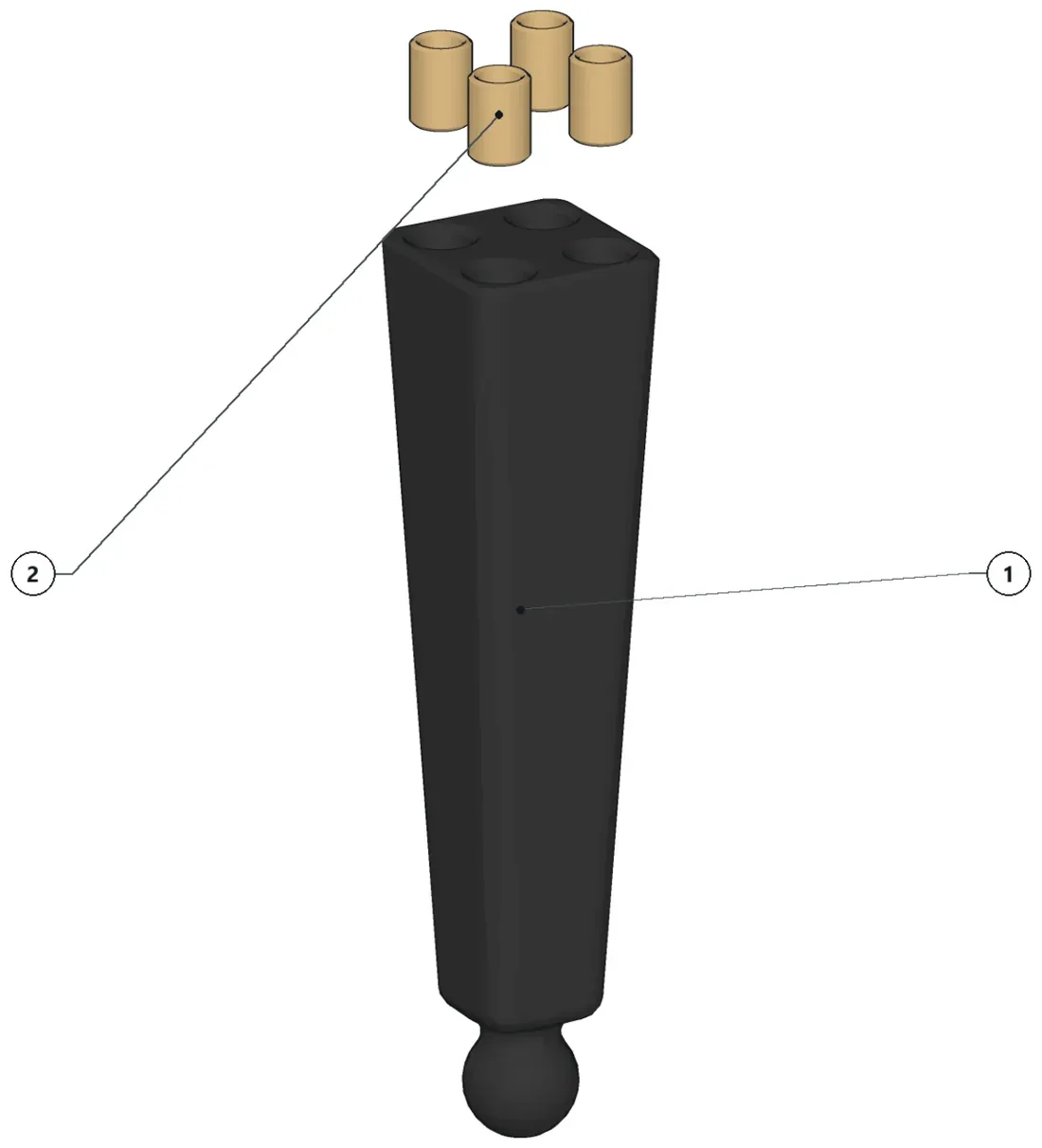
- Install the threaded inserts and keep the sub-assembly aside.
Parts · numbers match the drawing
CC01-008×1Ball StudTI-6.2×4Brass Threaded Insert (M3x6x4,5)
-
Step 4: Sub-assembly CC01-101
7 parts — make 2 times
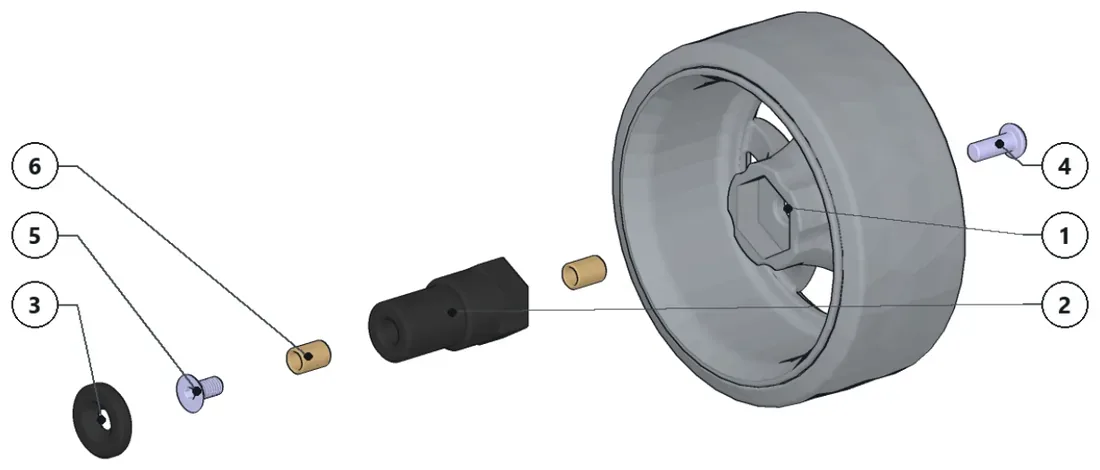
- Install the threaded inserts.
- Install the wheel and screw.
- Keep the countersunk screw and washer for final assembly.
- Keep the sub-assembly aside for final assembly.
Parts · numbers match the drawing
S7CR Wheel×1CC01-003×1Wheel AxleCC01-004×1WasherISO7380 M3x8×1ButtonHead M3x8 screwISO10642 M3x6×1CounterSunk ISO10642 M3x6…TI-6.2×2Brass Threaded Insert (M3x6x4,5)
-
Step 5: Sub-assembly CC01-100
9 parts — make 2 times
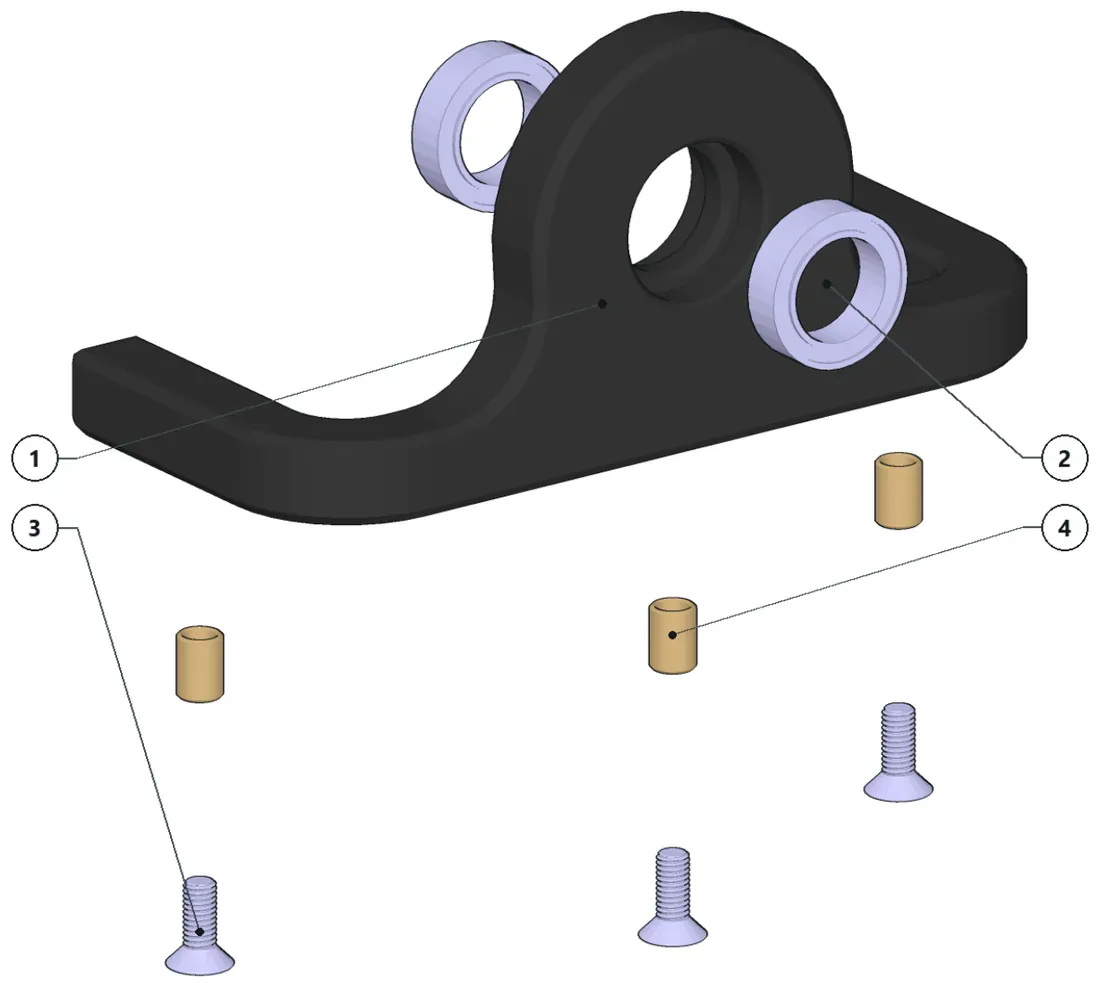
- Install the threaded inserts.
- Press-fit the bearings.
- Pre-install the screws.
- Keep the sub-assembly aside for final assembly.
Parts · numbers match the drawing
CC01-002×1Wheel supportBB-10X15X4.4×2Ball Bearing - OD: 15mm, ID: 10…1010642 M3x8×3CounterSunk ISO10642 M3x8…TI-6.2×3Brass Threaded Insert (M3x6x4,5)
-
Step 6: Sub-assembly CC01-106
10 parts
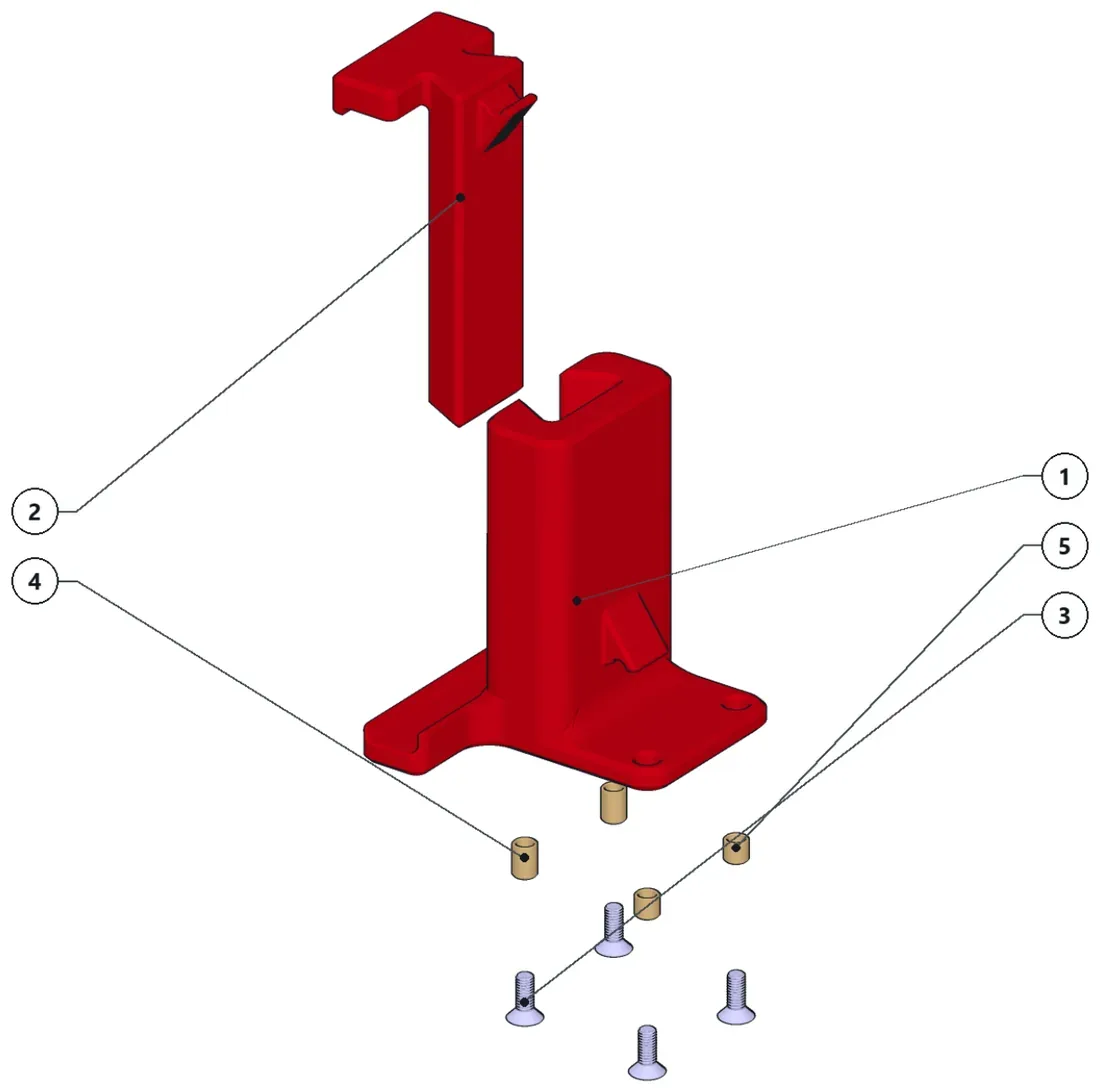
- Install the threaded inserts.
- Pre-install the screws.
- Search for a rubberband that fits in the two supports to hold the phone.
- Keep the sub-assembly aside for final assembly.
Parts · numbers match the drawing
CC01-012×1Phone support bottomC01-013×1Phone support topISO10642 M3x8×4CounterSunk ISO10642 M3x8…TI-6.2×2Brass Threaded Insert (M3x6x4,5)TI-4.1×2Brass Threaded Insert (M3x4x4,5)
-
Step 7: Sub-assembly CC01-102
16 parts
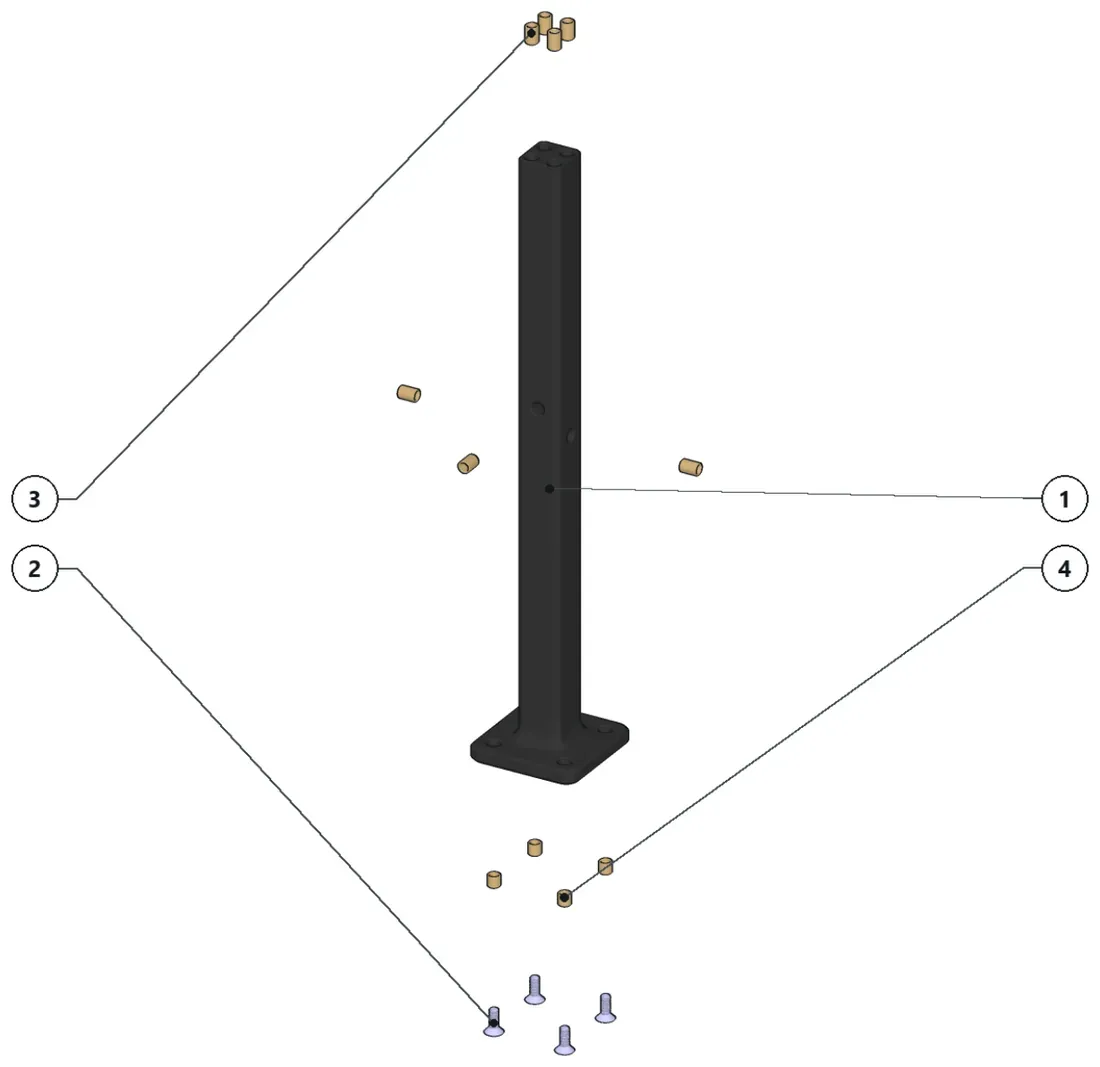
- Install the threaded inserts and keep the sub-assembly aside.
- Pre-install the screws.
Parts · numbers match the drawing
CC01-005×1Main PillarISO10642 M3x8×4CounterSunk ISO10642 M3x8…TI-6.2×7Brass Threaded Insert (M3x6x4,5)TI-4.1×4Brass Threaded Insert (M3x4x4,5)
-
Step 8: Final assembly
All sub-assemblies and loose hardware in place
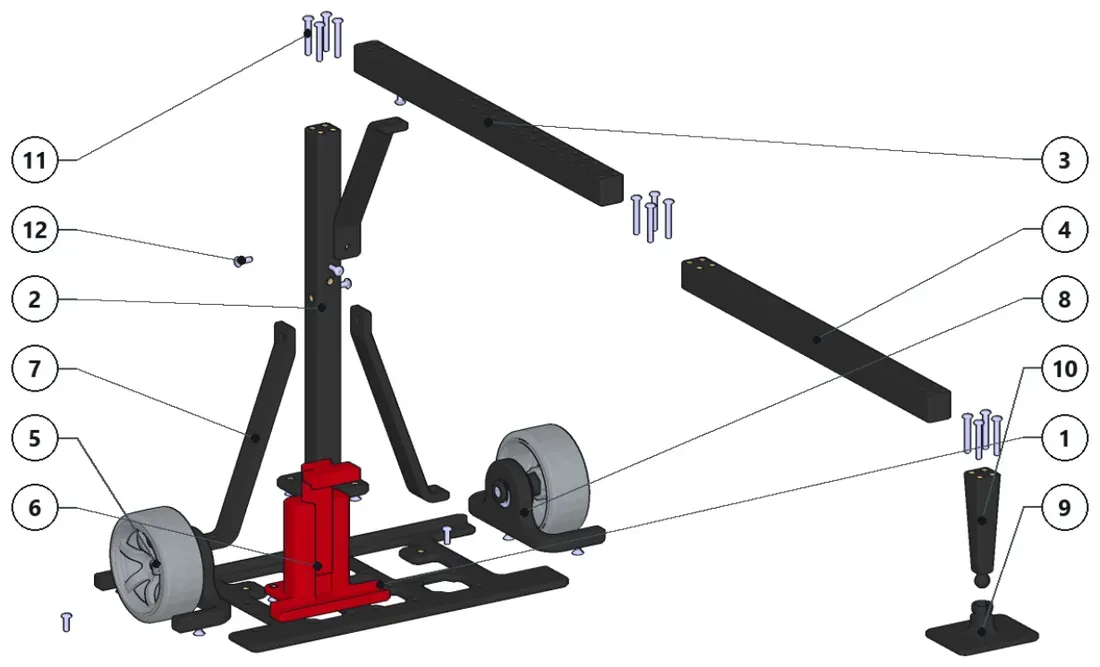
- Install the threaded inserts to the parts.
- Put it all together and enjoy!
Parts · numbers match the drawing
CC01-105×1CC01-102×1CC01-006×1CC01-103×1CC01-101×2CC01-106×1CC01-010×3ReinforcementCC01-100×2CC01-009×1Ball CupCC01-104×1ISO7380 M3x20×12ButtonHead ISO7380 M3x20…ISO7380 M3x8×6ButtonHead M3x8 screw (a2)
Manual history
| V1.1.1 | Added assembly instructions. |
|---|---|
| V1.1 | Added the magnet mount. |
| V1.0 | First release. |
Previous manuals (1)
- Manual V1.0 PDF, 0.3 MB